
Point of Sale ERPRun sales, stock, purchasing, and accounting for every branch from one software.
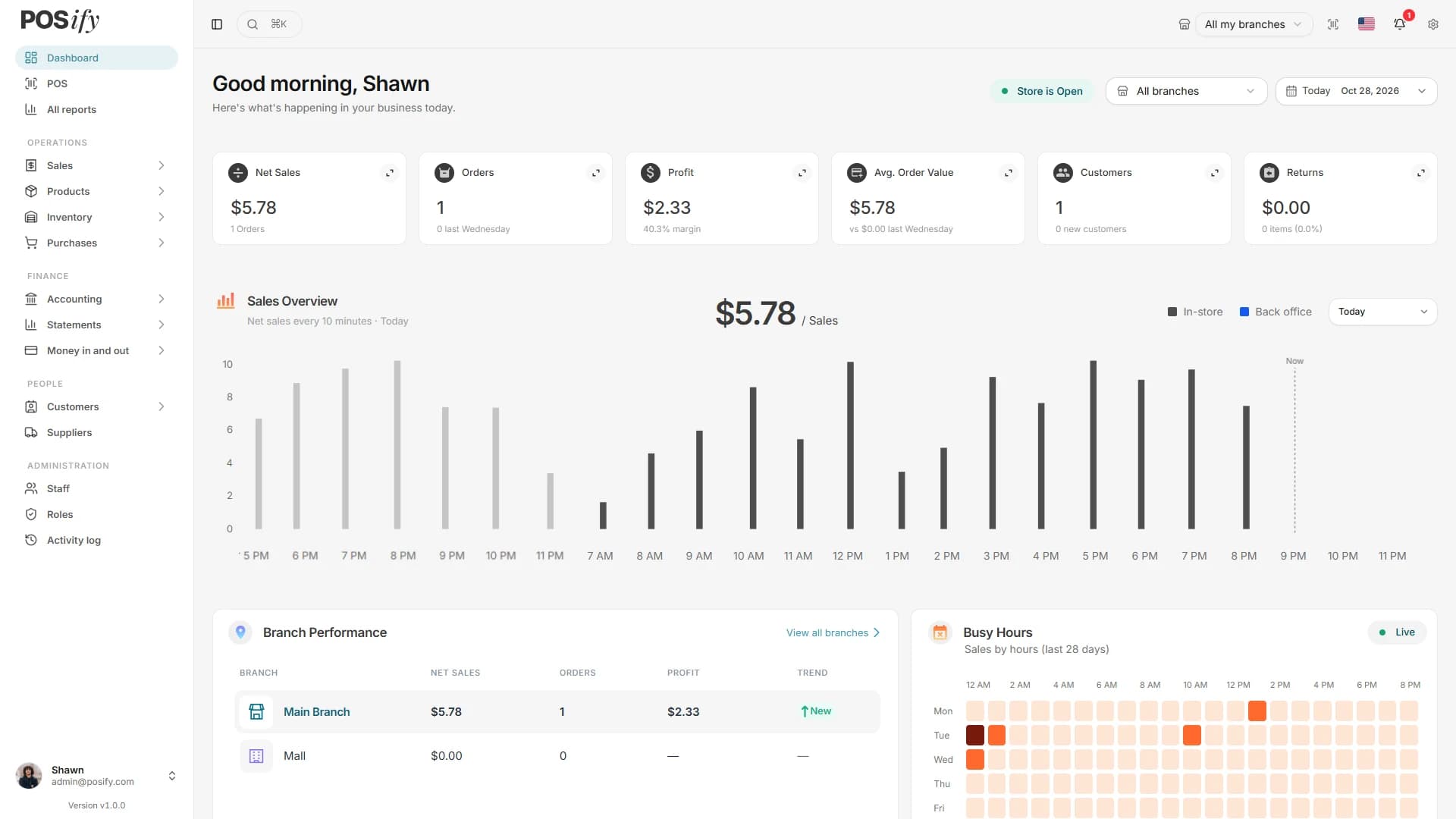
Everything Behind The Counter,
In One Software.
A focused feature set for shops with real counters: a till that works offline, stock across branches, purchasing, customer marketing, loyalty, tax, accounting and reports.
Point of Sale
Sell by search, barcode or camera scan, with discounts, holds, deposits, credit sales, returns and voids.
Offline Till
The till keeps selling when the internet drops and sends the queued sales as soon as it comes back.
Branches & Registers
One business, many branches, each with its own registers, stock and staff. Reports show one branch or all.
Registers & Cash
Open and close each register with X and Z reports, and record every cash in and cash out.
Split Payments
Take cash, card, bank transfer, store credit, loyalty points, gift cards or on account, split across a sale.
Products & Barcodes
Categories, brands, units, variants, barcodes and printed labels, with CSV import and export of products.
Inventory
Stock per branch at moving average cost, with adjustments, transfers, stock counts and low-stock lists.
Purchasing
Purchase orders, goods receipts, supplier bills, supplier payments and purchase returns in one flow.
Customers & Suppliers
Balances, statements, credit limits and opening dues for both sides, with CSV export and customer import.
Customer Consent
Record whether each customer agreed to offers by SMS and by email, with the history of every change. Offers go only to those who agreed.
Campaigns & Automations
Send offers by SMS or email to segments built from rules, with quiet hours, a daily SMS limit, unsubscribe links and STOP replies. Birthday wishes and other automations go by themselves.
Coupons
Codes that take money off a sale at the till and on a back-office invoice, limited by dates, uses, tier, group or segment.
Loyalty & Gift Cards
Customers earn and spend loyalty points, store credit and gift cards right at the till.
Double-Entry Accounting
Every sale, purchase, payment and stock change posts a journal, behind profit and loss, balance sheet and cash book.
Tax
Tax rates and groups, prices with or without tax, exemptions, and a tax report by month and rate.
46 Reports
Sales, registers, stock, purchasing, profit, finance and loyalty reports, exported to CSV and PDF.
Staff, Roles & Permissions
Nine built-in roles and your own, staff limited to their branches and registers, two-step sign-in and an activity log.
Receipts & Notifications
Print, email or text receipts. The bell, email and text messages through Twilio or your own SMS provider keep the right people informed.
Hardware Ready
USB and Bluetooth scanners, receipt and label printers, and a cash drawer opened through QZ Tray.
Invoice & Receipt Designer
Design your own invoices and till receipts from presets, with your logo, barcodes and QR codes.
18 Languages, RTL & PWA
Arabic right-to-left and 17 more languages, light and dark themes, and an app you can install from the browser.
Why Buyers Choose Posify
Built for CodeCanyon buyers who need more than a cash register: a self-hosted till and back office on your own server and your own PostgreSQL database.
Offline
The till keeps selling without internet and sends the queued sales when the connection returns.
8
Ways to pay: cash, card, bank transfer, other, store credit, loyalty points, gift card and on account.
46
Reports across sales, registers, stock, purchasing, profit, finance and loyalty, with CSV and PDF.
18
Languages, including right-to-left Arabic, with light and dark themes.
Go Live In 3 Clear Steps
From an empty server to your first sale, with the install wizard doing the setup.
Registers
···Open
Counter 1
Split payments, holds and returns, closed with a Z report.
Install On Your Own Server
Create a PostgreSQL database, run the migrations, and let the install wizard set up your business, owner account and first branch.
Set Up Branches, Products And Staff
Add branches and registers, import your catalogue and opening stock, set tax and payment methods, and give staff their roles.
Sell And Keep The Books
Open a register and sell, online or offline. Purchases, payments and stock changes post to the books and the reports.
The Features Buyers Notice First.
Offline, Branches, And Real Books
The workflows that matter most once the doors open, explained for shop owners, managers and accountants.
“When the internet drops, the till keeps ringing up sales and queues them. When it comes back, the queued sales are sent and checked on the server.”
Offline Till
For busy counters · Reliability
“Every branch keeps its own stock at moving average cost, with transfers, stock counts and a full movement history.”
Multi-Branch Stock
For growing businesses · Operations
“Sales, purchases, payments and stock changes post double-entry journals, so profit and loss and the balance sheet stay current.”
Books That Balance
For owners and accountants · Finance
Frequently asked questions
Can't find what you're looking for? Reach out through the support portal and our team will help.